

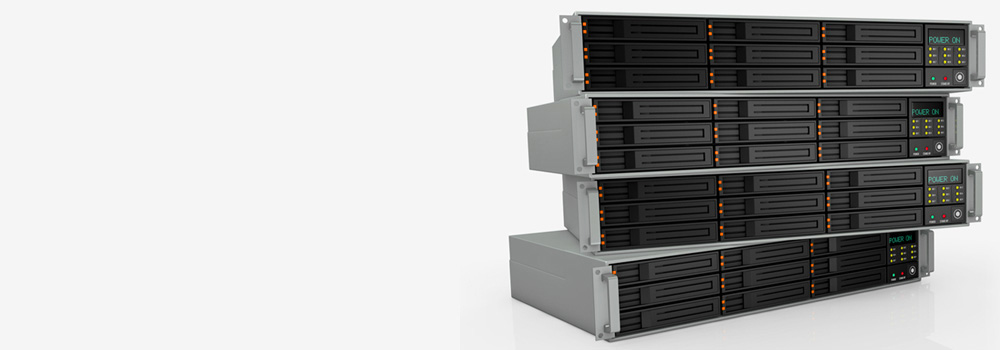

At Cardiff Data Recovery, we specialise in data recovery from RAID 0 systems of all sizes and configurations. With over 25 years of industry-leading experience, we are Wales’s No.1 RAID data recovery specialists. From home users with performance RAID setups to enterprise-scale rack-mounted arrays, we provide fast, secure, and effective RAID 0 data recovery services.
Whether you’ve suffered disk failure, data corruption, or accidental reinitialisation, our engineers are ready to help. Contact us today for a free diagnostic.
🔧 RAID 0 Recovery Services We Offer
We provide comprehensive RAID 0 recovery for:
- 2-disk to 32-disk RAID 0 stripe arrays
- Hardware-based RAID (Dell EMC, HPE, NetApp, etc.)
- Software-based RAID (Windows Storage Spaces, mdadm, Apple Disk Utility)
- NAS RAID 0 systems (QNAP, Synology, WD, Drobo, etc.)
- Rack-mounted RAID 0 servers
- Encrypted RAID 0 volumes
- RAID 0 in virtualised environments (Hyper-V, VMware, VirtualBox)
All recovery operations are performed in-house using non-destructive forensic techniques. We always image drives before working on the data to preserve the original disk structure.
💽 Supported RAID and NAS Brands
We recover data from all major RAID controller and NAS vendors:
RAID Storage Brands:
- Dell EMC
- Hewlett Packard Enterprise (HPE)
- IBM
- Lenovo
- Intel
- ASUS
- Promise Technology
- Adaptec by Microchip
- Areca
- Thecus
NAS Brands:
- Synology
- QNAP
- Western Digital (WD)
- Seagate
- Buffalo Technology
- Drobo
- Netgear
- LaCie (a Seagate company)
🔝 Top 15 NAS Brands in the UK & Best-Selling Models
| Brand | Popular Models |
|---|---|
| Synology | DS723+, DS920+, RS1221+ |
| QNAP | TS-464, TS-233, TVS-H674 |
| WD | My Cloud EX2 Ultra, My Book Live Duo |
| Seagate | IronWolf NAS, NAS Pro |
| Buffalo | LinkStation 220, TeraStation 3220DN |
| Netgear | ReadyNAS RN424, RN212 |
| LaCie | 2big RAID, 5big Thunderbolt |
| Asustor | Lockerstor 4 Gen2, AS5304T |
| TerraMaster | F4-423, F2-221 |
| LenovoEMC | px6-300d, ix4-300d |
| Drobo | 5N2, B810n |
| Promise | Pegasus32 R4, R6 |
| Zyxel | NAS540, NAS542 |
| D-Link | DNS-340L, ShareCenter 2-Bay |
| Thecus | N5810PRO, N12910SAS |
🖥️ Top 15 RAID Rack Servers in the UK & Best-Selling Models
| Brand | Popular RAID Rack Server Models |
|---|---|
| Dell EMC | PowerEdge R640, R740xd |
| HPE | ProLiant DL360 Gen10, DL380 Gen10 |
| Lenovo | ThinkSystem SR650, SR630 |
| IBM | x3550 M5, x3650 M5 |
| Supermicro | SuperServer 6029P, 6039P |
| Cisco UCS | C240 M6, C220 M6 |
| ASUS | RS720-E10-RS24U, RS500A-E10-RS4 |
| Intel | R1304WF, R2224WFTYSR |
| Huawei | FusionServer 2288H V5, RH2288 V3 |
| Fujitsu | PRIMERGY RX2540 M5, TX2550 M5 |
| TYAN | Thunder HX FT48T-B7105 |
| Oracle | ZS7-2, X8-2 |
| Quanta QCT | D52B-1U, T41S-2U |
| NEC | Express5800/R120h |
| Inspur | NF5280M6, NF5468M5 |
⚠️ Top 30 RAID 0 Errors & How We Recover Data
RAID 0 offers no redundancy, making recovery from any failure time-critical. Below are the most common RAID 0 issues and how our engineers address each:
- Single Disk Failure in RAID 0 – Missing strip causes data fragmentation; we rebuild using stripe pattern analysis and file signature matching.
- Multiple Disk Failures – Drives imaged; best sectors rebuilt to recover partial files.
- RAID Controller Failure – Bypass controller and reassemble array from raw disk images.
- Incorrect Drive Order – Stripe order reconstructed using entropy analysis and sector headers.
- RAID Metadata Loss – RAID parameters reconstructed manually from disk content.
- Corrupt Boot Sector – Rebuilt using forensic tools to recover volume structure.
- File System Corruption (NTFS, HFS+, EXT) – Filesystem repaired after RAID stripe reassembly.
- Physical Drive Damage – Failed disk repaired and imaged before logical rebuild.
- Reinitialised RAID – RAID config inferred and reconstructed from residual data.
- RAID Configuration Overwritten – Previous structure located from backup sectors or unallocated space.
- Power Failure During Write – Incomplete striping repaired using sector realignment.
- Sector Misalignment – LBA adjustments applied to realign stripe boundaries.
- RAID Deleted Accidentally – Volume carved from underlying stripe-set images.
- Corrupted Partition Table – GPT/MBR rebuilt to remount RAID volume.
- Bad Sectors on One or More Drives – Sector cloning with ECC repair and recovery from remaining valid data.
- Drive Timeout in Array – Faulty drive isolated, cloned, and reintroduced for rebuild.
- RAID Appears as RAW – Signature-based scanning and file carving applied.
- Dropped NAS or RAID Enclosure – Drives checked for mechanical damage; cloned, then logically rebuilt.
- NAS Firmware Update Failure – RAID emulated and raw data accessed for recovery.
- RAID BIOS Reset – Prior settings reconstructed through volume header comparison.
- Unbootable RAID 0 System Disk – OS and user partitions separated; user data safely extracted.
- RAID Member Shows 0GB – Firmware bypassed or ROM reprogrammed to restore access.
- RAID Array Missing in Management Software – Manual reconstruction of RAID metadata and LUN.
- Corrupted Block Indexes – File fragments located via content-based matching.
- Unresponsive RAID Set – Drives imaged individually; array rebuilt in software.
- Disk Reassigned to Another RAID – Partition wiped, but structure rebuilt from sector mapping.
- RAID Volume Not Mounting – Stripe-based recovery from raw image slices.
- Firmware Bug in NAS Device – Internal OS bypassed; drives imaged independently.
- Controller Battery Failure – Cached write data lost; files reconstructed from valid sectors.
- Unknown RAID Parameters – Stripe size, order, and parity tested via forensic RAID emulation.
🧱 Top 20 RAID 0 Virtual System Failures & Recovery Approach
RAID 0 is often used in virtualised environments for speed. Here’s how we recover when things go wrong:
- Corrupt VMDK/VHD/VHDX – Rebuilt using file signature and VM metadata extraction.
- VMFS Volume Corruption – Repaired through volume header analysis and LUN recovery.
- Deleted Virtual Disk File – Recovered from unallocated sectors using deep carving.
- RAID 0 Inside Virtual Machine – Emulated in virtual layer to access striped data.
- RAID 0 Host Failure – Host-level RAID rebuilt, then guest file systems recovered.
- Corrupt Hypervisor Disk Mapping – Manual mapping of virtual RAID to LUN for data extraction.
- Unresponsive Virtual Host Array – Physical disks cloned and reconstructed outside the hypervisor.
- Split VHD Files Not Mounting – Chain reconstructed using size alignment and footer headers.
- Lost iSCSI Target in RAID 0 NAS – LUN extracted from NAS drive images.
- RAID 0 Used as VM Backup Repository – Files restored from fragmented backups with integrity checks.
- VM Disk Shows as RAW – Filesystem rebuilt from block analysis.
- RAID Host Undergoing Snapshots – Parent/child VM structure restored.
- Accidental VM Storage Deletion – Volume headers and configuration carved.
- RAID 0 in Nested Virtualisation – Multi-layer analysis of disk stack performed.
- Storage Pool Reinitialised – Data located through raw sector scanning.
- RAID 0 in ESXi Datastore Fails – VMFS extracted manually and mounted externally.
- RAID Striping Conflicts – Stripe reconstruction optimised for fragment reassembly.
- BitLocker Encrypted VM Drive – Decrypted from shadow volume after stripe rebuild.
- RAID Controller Firmware Bug – Patched and drives imaged before further failure.
- VM File System Journaling Error – Files recovered via checkpoint and log rebuild.
🧠 Why Choose Cardiff Data Recovery?
- 25+ Years of RAID Recovery Experience
- Full Support for RAID 0 Across All Vendors
- Advanced RAID Emulation & File System Tools
- No Data No Fee Policy (Following Free Diagnostics)
- High Success Rate – Trusted by Government & Enterprise
- Critical 48-Hour RAID Recovery Service Available
From small business RAID failures to high-capacity enterprise NAS recoveries — our engineers deliver fast, secure, and technically precise results.
📞 Contact Cardiff Data Recovery Today
If your RAID 0 system has failed, do not attempt to rebuild or reinitialise. Doing so can lead to irreversible data loss. Power down the array and contact Cardiff Data Recovery for a free diagnostic today.
Let our expert RAID engineers assess the damage and recover your critical data safely, efficiently, and with complete confidentiality.