

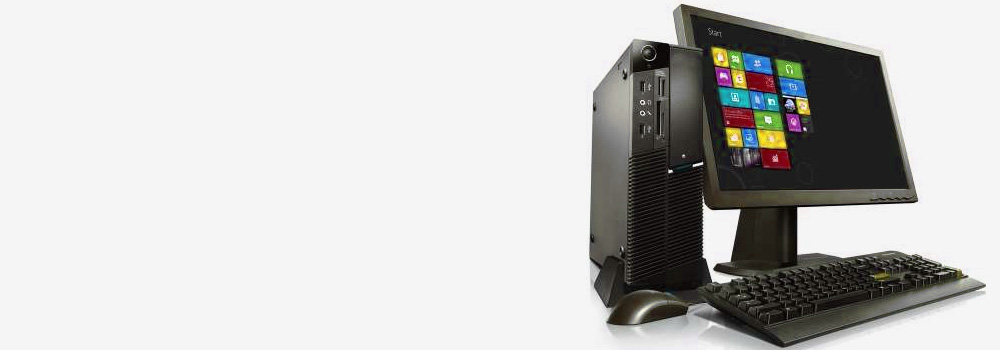





At Cardiff Data Recovery, we are Wales’s leading provider of professional hp data recovery services. With over 25 years of experience, we specialise in recovering data from all HP Desktop Computers, Laptops, and Notebooks, across all models and fault types.
Whether your HP system has suffered accidental deletion, physical damage, file system corruption, or hardware failure, our engineers have the tools, knowledge, and experience to recover your data efficiently and securely.
💻 Services We Offer – HP Data Recovery for Desktops, Laptops & Notebooks
We recover data from:
- HP Pavilion, Spectre, ENVY, EliteBook, ProBook, Omen, Victus, Chromebook, and ZBook laptops
- HP Slimline, EliteDesk, ProDesk, Z-series workstations, and All-in-One desktops
- Removable SSDs, internal SATA/NVMe drives, and external USB-connected HP drives
- Devices used for home, business, gaming, education, or creative work
Our recovery services cover both Windows-based and Linux dual-boot HP systems, as well as BitLocker-encrypted drives and UEFI/BIOS-locked configurations.
💽 Top 20 Selling HP Models We Recover
We provide support for all HP devices, including:
| HP Laptops & Notebooks | HP Desktops & Workstations |
|---|---|
| HP Spectre x360 | HP ProDesk 400 G7 |
| HP ENVY 13 / 15 / 17 | HP EliteDesk 800 G6 |
| HP Pavilion 14 / 15 / 16 | HP Z2 Mini Workstation |
| HP Omen 15 / Omen 16 / Omen 17 | HP Slim Desktop S01 Series |
| HP Victus 16 / 15 | HP Z4 / Z6 / Z8 Workstations |
| HP ProBook 450 / 430 / 455 | HP All-in-One 22 / 24 / 27 |
| HP EliteBook 840 / 850 / 835 | HP ENVY Desktop TE Series |
| HP Chromebook x360 / 14 | HP Pavilion Gaming Desktop |
| HP ZBook Firefly / Studio / Power | HP Compaq Elite / Pro Workstations |
| HP Stream and Essential Laptops | HP TouchSmart and Omni PCs |
⚠️ Top 30 HP Hard Drive Recovery Faults – With Technical Recovery Overview
| Common Fault | How We Recover Your Data |
|---|---|
| Accidental File Deletion | Metadata and MFT scanning to recover files from unallocated space. |
| Accidental Formatting | Rebuilding partition structures; scanning raw sectors for file signature matches. |
| File System Corruption (NTFS/BitLocker) | Repairing allocation tables and system metadata; decrypting protected partitions. |
| Drive Not Recognised by BIOS | Firmware module repair, ROM transfer, or SATA-to-USB interface bypass for access. |
| Blue Screen of Death (BSOD) Errors | Drive imaged externally; file system and boot sectors analysed and repaired. |
| Physical Impact (Laptop Drop) | Heads and platters examined; donor parts used for stable imaging. |
| Bad Sectors or Weak Read | Sector-by-sector imaging with ECC retry and timing adjustment. |
| SSD Overheating or Throttling | Drive cooled in a controlled environment; controller analysed for firmware lockups. |
| Controller Failure on NVMe SSD | Direct NAND access via chip-off or hardware controller emulation. |
| Power Surge or Motherboard Fault | PCB inspection; ROM transfer to donor board for reinitialisation. |
| Partition Table Corruption | MBR/GPT manually rebuilt using disk signature alignment and partition analysis. |
| Virus or Malware Infection | Hidden/deleted files recovered; isolated scanning environment used to prevent reinfection. |
| Firmware Corruption (HDD/SSD) | Manufacturer tools used to restore access modules and translator tables. |
| OS Boot Loop or Freezing | User files extracted externally; system restored in isolated forensic environment. |
| Disk Shows RAW in Disk Management | File system repaired or rebuilt to allow safe mount and read. |
| BitLocker Encrypted Drive Not Unlocking | BitLocker key applied to image; volume unlocked for data extraction. |
| System Recovery Overwrote Data | File carving from overwritten sectors; partial file restoration using file signatures. |
| Water or Liquid Damage | Drive cleaned and stabilised; heads or PCB replaced as needed for recovery imaging. |
| USB Port / Connector Damage | Drive extracted and connected internally or through donor housing. |
| BIOS Firmware Update Caused Failure | System SSD imaged externally; partition and boot volume repaired. |
| Bent Pins on SATA/USB Connector | Connector replaced and continuity restored for direct imaging. |
| SSD NAND Wear (HP Envy/Spectre) | NAND chip read directly with ECC recovery and remapping. |
| Unresponsive HP Recovery Partition | Hidden recovery volumes mounted; user data extracted from backup sectors. |
| Drive Makes Clicking Sound | Head crash suspected; disassembly and head stack replacement required. |
| Constant Freezing or Restarting | Drive removed for stable access; file system issues resolved in recovery lab. |
| External HP Drive Not Detected | Interface bypassed; drive imaged via SATA or specialist recovery dock. |
| Windows “No Boot Device Found” Error | Boot records reconstructed; full OS partition recovered externally. |
| SSD Not Showing in BIOS After Sleep/Crash | NVMe controller reinitialised; firmware lockout removed. |
| BIOS Password Locked – Drive Inaccessible | Storage removed and accessed independently with no BIOS password needed. |
| Recovery Drive or HP Cloud Reset Lost Files | Pre-recovery state restored using disk shadow copies and deep scan of previous partitions. |
✅ Why Choose Cardiff Data Recovery?
- 25+ Years of HP-specific data recovery expertise
- Support for both consumer and business HP models
- Advanced recovery tools for NVMe, PCIe, SATA and USB drives
- Fully confidential service
- Emergency 48-Hour Critical Recovery Option Available
- Free diagnostics and no data – no fee guarantee
Whether your HP system has failed unexpectedly or suffered a severe crash, we are your trusted professionals for accurate, efficient hp data recovery services.
📞 Contact Cardiff Data Recovery Today
If your HP laptop or desktop has lost access to important data due to formatting, system failure, or disk issues, don’t risk further damage with DIY tools or file system resets.
Contact Cardiff Data Recovery today for a free diagnostics, and let our expert team recover your data securely and professionally.
We’re here to recover what matters most – fast, safe, and with trusted expertise in hp data recovery services.