

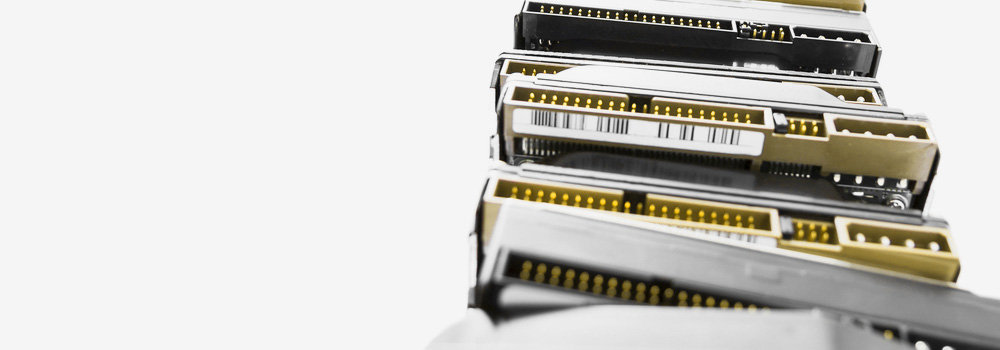




Welcome to Cardiff Data Recovery, Wales’s No.1 Maxtor data recovery specialists. With over 25 years of experience, we offer expert-level recovery services for all types of Maxtor hard drives — from legacy IDE drives to modern SATA-based external units. Whether you’ve lost critical files due to a mechanical failure, firmware issue, or accidental deletion, we have the tools and expertise to recover your data quickly and securely.
If your Maxtor drive has failed or is no longer recognised, contact our engineers today for a free diagnostic assessment.
🔧 Services We Offer – Maxtor Hard Drive Recovery
We offer a full suite of Maxtor data recovery services, including:
- Desktop and external hard drive recovery
- Legacy IDE/PATA Maxtor drive recovery
- External USB-powered Maxtor drive recovery
- Logical recovery from formatted or deleted partitions
- Physical recovery from failed or damaged drives
- Recovery from encrypted or password-protected Maxtor drives
- Emergency 48-hour critical recovery services available
Every recovery is performed in-house by experienced engineers using forensic-grade tools and advanced imaging equipment.
💽 Top 20 Selling Maxtor Hard Drive Models We Recover
We recover data from all Maxtor product lines, including legacy internal drives and popular external drives. Below are some of the most common models we service:
| Maxtor Model | Drive Type |
|---|---|
| Maxtor DiamondMax 10 | Internal (IDE/SATA) |
| Maxtor DiamondMax 21 | Internal (SATA) |
| Maxtor DiamondMax Plus 9 | Internal (IDE) |
| Maxtor DiamondMax Plus 8 | Internal (IDE) |
| Maxtor OneTouch III Turbo Edition | External (USB/FireWire) |
| Maxtor OneTouch 4 Plus | External (USB 2.0) |
| Maxtor OneTouch 4 Mini | External (Portable) |
| Maxtor Shared Storage II | NAS Drive |
| Maxtor Basics Desktop Storage | External (USB) |
| Maxtor Basics Portable Storage | External (USB) |
| Maxtor Personal Storage 3200 | External (USB) |
| Maxtor BlackArmor PS110 | External (Encrypted) |
| Maxtor STM3320820A | DiamondMax 21 Series |
| Maxtor STM3160815AS | DiamondMax 21 Series |
| Maxtor STM3802110A | DiamondMax 10 Series |
| Maxtor STM3250310AS | DiamondMax 21 Series |
| Maxtor 6Y120L0 | DiamondMax Plus 9 |
| Maxtor 6E040L0 | DiamondMax Plus 8 |
| Maxtor 541DX Series | Legacy IDE |
| Maxtor 5T030H3 | Legacy ATA |
🔌 Supported Interfaces
We recover from every Maxtor hard drive interface type, including:
- SATA (Serial ATA)
- IDE / PATA (Parallel ATA)
- NVMe / PCIe (for embedded chip recovery)
- SCSI / SAS
- M.2 and U.2 Interfaces
- USB / FireWire / eSATA
- Thunderbolt (for legacy external drives with adapters)
⚠️ Top 30 Samsung Hard Drive Recovery Faults & Technical Recovery Methods
While this page focuses on Maxtor, Samsung acquired Maxtor before merging its hard drive division into Seagate. We service all Maxtor-branded and Samsung-built drives with the following fault types:
| Fault | Technical Recovery Process |
|---|---|
| Mechanical Failure | Drive opened; head stack replaced using matched donor; disk imaged. |
| Bad Sectors | Cloning tools used to skip and retry unstable sectors; logical data rebuilt from valid copies. |
| Firmware Corruption | Firmware modules accessed with vendor-specific tools; drive stabilised for imaging. |
| Logical Corruption | File system rebuilt using header and footer analysis; structure repaired manually. |
| PCB Failure | Circuit board replaced with identical donor; ROM chip moved to preserve drive identity. |
| Drive Not Recognised | Diagnosis of interface; firmware or PCB reprogrammed for BIOS visibility. |
| Power Surge Damage | Burnt controller chips replaced; internal components tested before cloning. |
| Head Crash | Damaged heads removed; platters scanned using donor hardware. |
| Platter Damage | Imaging attempted using advanced tools; good sectors extracted before damage spreads. |
| SSD Controller Failure | NAND extracted directly; data reconstructed using controller-specific algorithms. |
| NAND Flash Wear (SSD) | ECC and redundancy logic used to rebuild worn memory blocks. |
| Accidental File Deletion | Metadata reconstruction and carving tools used to locate deleted file clusters. |
| Accidental Formatting | Partition boundaries re-identified; logical rebuild of file system performed. |
| Initialisation of Drive | Volume mapping restored using backup sectors and file header scanning. |
| Overheating | Drive cooled and tested for stability; imaging performed before further damage occurs. |
| Encrypted Drive Failures | BitLocker/FileVault handled using user-supplied keys; image cloned before decryption. |
| Drive Freezing During Transfer | Caused by firmware loop or sector damage; isolated, bypassed, and data imaged. |
| Clicking Sounds | Indicative of head crash; drive recovered with new head stack. |
| BIOS Detects Wrong Capacity | Firmware and translator module repaired to restore correct LBA mapping. |
| Drive Makes Beeping Noise | Likely spindle or motor failure; platters transferred to donor base for readout. |
| Corrupt Partition Table | GPT or MBR manually rebuilt using forensic sector tools. |
| No Power to Drive | PCB and power regulator tested; short circuit traced and resolved. |
| Reallocated Sector Count Exceeded | Indication of imminent failure; full clone created to preserve all readable data. |
| Media Surface Scratches | Sector skipping and imaging from inner/outer cylinder first to preserve what’s left. |
| OS Cannot Mount Volume | File system repaired and partition reassigned to restore access. |
| Wrong Drive Detected | Firmware modules corrected; overlay system reinitialised. |
| Mac Not Recognising External Drive | Drive imaged and mounted using macOS-compatible software recovery tools. |
| SMART Errors on Startup | Pre-failure cloning completed, data recovered from fresh image. |
| USB Bridge Controller Fault | Removed and bypassed with SATA adapter; internal drive accessed directly. |
| Vibration-Induced Damage | Shock absorbers checked; heads examined under microscope for micro-displacement. |
🧠 Why Choose Cardiff Data Recovery?
- 25 Years of Specialist Experience with Maxtor Drives
- Support for All Interfaces and Legacy Formats
- Safe and Secure Recovery Methods – No Data, No Risk
- Free Diagnostic Service for Every Case
- Emergency 48-Hour Critical Recovery Option Available
- Trusted by Individuals, SMEs, and Government Organisations
We handle each case with the utmost confidentiality and technical precision — from physically damaged legacy IDE drives to modern external USB Maxtor devices.
📞 Contact Cardiff Data Recovery Today
If your Maxtor hard drive has failed, stop using it immediately to avoid further data loss. Contact Cardiff Data Recovery today for a free diagnostics and let our engineers advise you on the safest way to recover your data.
Whether you’re dealing with critical business files, personal data, or legacy archive content — we’re here to help, 7 days a week.