

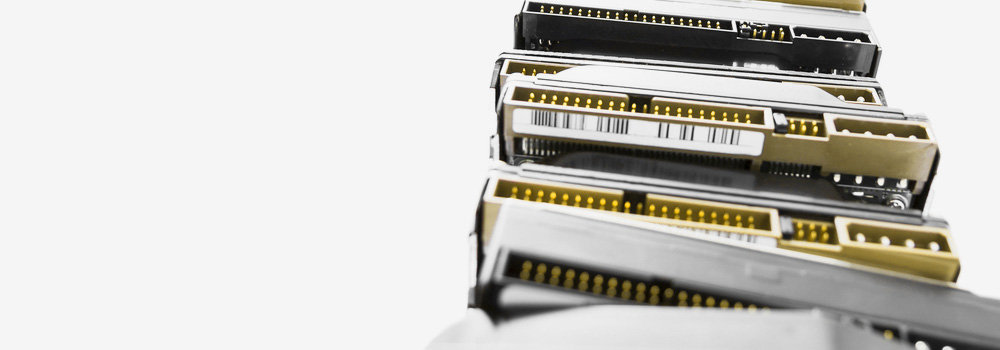







Welcome to Cardiff Data Recovery, Wales’s No.1 HGST data recovery provider. With over 25 years of experience, we specialise in recovering data from all Hitachi and HGST hard drives, including internal, external, enterprise, and legacy storage systems.
Whether you’re facing mechanical damage, logical corruption, firmware failure, or accidental deletion, our expert engineers can safely recover your critical files. We handle every HGST model and interface, from home users to enterprise data environments.
Contact our engineers today for free diagnostics and expert guidance.
🔧 Services We Offer – Hitachi HGST Drive Recovery
We offer comprehensive HGST data recovery services, including:
- Internal and external HGST drive recovery
- Desktop, laptop, enterprise, and RAID HGST drive recovery
- Logical and physical data recovery (including encrypted volumes)
- Recovery from failed or degraded HGST drives (SATA, SAS, SCSI, NVMe)
- Chip-level SSD/NAND data recovery
- Emergency 48-hour data recovery service available
- Legacy IDE/PATA drive support (Hitachi Deskstar, Travelstar, etc.)
All recoveries are performed using forensic imaging techniques, and we never work on the original drive until a verified copy is created.
💽 Top 20 Best-Selling Hitachi / HGST Hard Drive Models We Recover
We recover data from the most widely used Hitachi and HGST drives across consumer, business, and enterprise environments:
| Model Name | Drive Type |
|---|---|
| HGST Ultrastar 7K4000 | Enterprise SATA/SAS |
| HGST Ultrastar 7K6000 | Enterprise SATA/SAS |
| HGST Ultrastar He10 | Helium, SATA/SAS |
| HGST Ultrastar DC HC510 | Data Centre SATA/SAS |
| HGST Ultrastar 7K3000 | Enterprise SATA |
| HGST Travelstar Z5K500 | Laptop 2.5″ SATA |
| HGST Travelstar 5K1000 | Laptop 2.5″ SATA |
| HGST Deskstar NAS 4TB | Consumer NAS SATA |
| HGST Deskstar E7K1000 | Desktop SATA |
| HGST Travelstar 7K1000 | High-performance SATA |
| Hitachi Deskstar T7K500 | Desktop IDE/SATA |
| Hitachi Deskstar 7K1000.C | Desktop SATA |
| Hitachi Travelstar 5K500 | Laptop IDE/SATA |
| Hitachi CinemaStar 7K1000 | AV/Data Recorder |
| HGST Endurastar J4K100 | Automotive IDE |
| HGST Ultrastar A7K2000 | Enterprise SATA |
| HGST Deskstar 7K1000.B | Desktop SATA |
| HGST Deskstar 5K3000 | Quiet/Efficient SATA |
| Hitachi DK23EA-60 | Legacy 2.5″ IDE |
| HGST HTS545050A7E680 | Travelstar Z5K500 Line |
🔌 Supported Interfaces
We support all connection types across HGST hard drives:
- SATA (Serial ATA)
- PATA / IDE (Parallel ATA)
- SAS (Serial Attached SCSI)
- SCSI (68/80 pin legacy drives)
- NVMe (PCIe-based HGST SSDs)
- M.2 and U.2 SSD Interfaces
- eSATA
- PCIe-based SSDs (for embedded solutions)
⚠️ Top 30 HGST Drive Failures & Our Data Recovery Approach
Here’s a breakdown of the most common HGST data loss scenarios and how we resolve them:
| Issue | Technical Recovery Method |
|---|---|
| Mechanical Head Crash | Drive opened; matched donor heads fitted; image created from good platters. |
| Bad Sectors | Cloning software used with read retries; data reconstructed from readable blocks. |
| Firmware Corruption | Firmware modules repaired using vendor tools; drive reinitialised for safe imaging. |
| Logical Partition Corruption | Volume rebuilt via hex editor and filesystem mapping tools. |
| PCB (Controller Board) Failure | Donor PCB fitted; ROM chip transferred; drive powered on safely for data cloning. |
| Drive Not Detected in BIOS | Firmware or hardware diagnostics performed; drive restored using ROM access or TTL. |
| Power Surge or Burned Components | Component-level repair; power circuitry bypassed for secure readout. |
| Accidental Formatting | Lost volume table rebuilt using file carving and MFT scanning. |
| Accidental File Deletion | Files recovered from unallocated space using metadata remnants. |
| Drive Freezes or Disconnects Mid-Use | Caused by unstable sectors or firmware; stabilised and imaged under controlled retry. |
| Platter Damage (Light) | Read-only imaging across safe zones; data spliced from readable surfaces. |
| Overheating and Thermal Throttle | Drive cooled and imaged in safe mode to prevent further degradation. |
| Encrypted Drive Failure | BitLocker/FileVault decryption tools used post imaging (requires valid credentials). |
| SSD Controller Failure (NVMe) | NAND chips removed and decoded using proprietary controller-mapping software. |
| NAND Flash Wear | ECC data extracted and blocks reconstructed from degraded flash cells. |
| Initialization Without Backup | Partition and boot tables recreated; file structures restored from sector-level scans. |
| HDD Making Clicking Sound | Suspected head issue; heads replaced; image taken from stabilised drive. |
| Unresponsive After Sleep Mode | Power-on routines reset; drive restarted using safe boot flags for recovery. |
| No Spinning / Dead Drive | Motor tested; PCB and spindle logic reconfigured or replaced. |
| SCSI Drive Not Detected | Drive emulator used; SCSI pinout adjusted; LUNs manually mapped. |
| RAID Member Failure (HGST in Array) | Drive imaged, array rebuilt using sector-level parity or strip analysis. |
| Mac Not Recognising External HGST Drive | Drive cloned and analysed using APFS/HFS+ compatible forensic tools. |
| External USB HGST Drive Fails to Mount | USB bridge bypassed; internal drive accessed via direct SATA connection. |
| File System Appears RAW | Partition table recovered from backup sectors; MFT repaired or rebuilt. |
| SMART Error Warnings | Imaging performed before further degradation; sectors verified post-clone. |
| Read/Write Errors | Cloning tool applies multiple retries; blocks rebuilt with checksum verification. |
| HDD Beeping | Likely seized motor or stiction; platters transferred to donor chassis for imaging. |
| Damaged Interface Port | Port replaced; drive tested via alternate interface or adapter. |
| Unallocated Space Instead of Partition | Partition map repaired using volume signature detection. |
| BIOS Shows Inconsistent Capacity | LBA reinitialised through firmware repair; actual capacity restored and imaged. |
🧠 Why Choose Cardiff Data Recovery?
- 25+ Years of Experience recovering Hitachi and HGST hard drives
- Proven Track Record handling enterprise and legacy hardware
- Support for All Interfaces and File Systems
- Free Diagnostics & No-Obligation Evaluation
- Emergency 48-Hour Data Recovery Option Available
- Secure and Confidential Handling of Sensitive Data
We’re trusted by individuals, SMEs, data centres, and government organisations across Wales and the UK for reliable, technically advanced HGST data recovery.
📞 Contact Cardiff Data Recovery for Free Diagnostics
Has your HGST or Hitachi hard drive stopped working? Is your data no longer accessible or partially lost? Contact Cardiff Data Recovery today for a free diagnostic and let our engineers assess your drive and recommend the best solution.
Whether it’s business-critical files, creative work, or legacy data, we’re here to help — safely, professionally, and fast.