

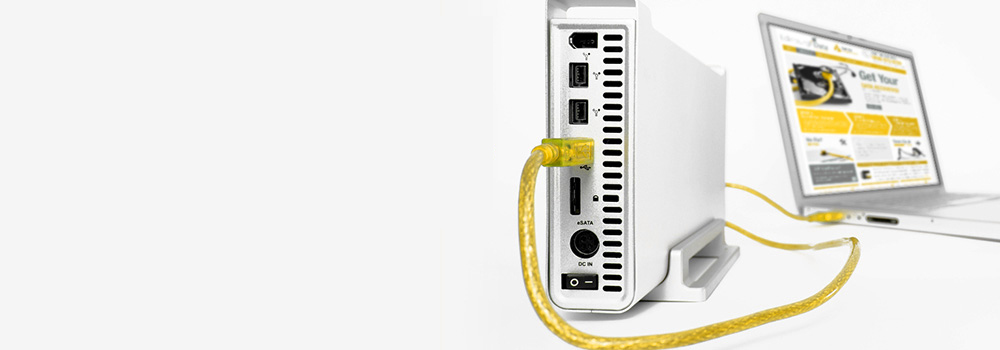







Welcome to Cardiff Data Recovery, Wales’s No.1 provider of Lacie data recovery services. With over 25 years of specialist experience, we offer professional recovery solutions for all Lacie external hard drives – from consumer desktop units to enterprise-class Thunderbolt RAID systems.
We recover from all operating systems and drive formats, providing secure, in-house solutions for physically damaged, corrupted, or inaccessible drives. If your Lacie drive has failed or is not being recognised by your system, our engineers are ready to help.
Contact us today for a free diagnostic assessment.
💻 Services We Offer – Lacie Drive Recovery
We offer a full suite of recovery services for all Lacie products and storage devices, including:
- Recovery from Lacie Desktop, Rugged, and Professional drives
- Support for USB-C, USB 3.0, Thunderbolt, FireWire, and eSATA interfaces
- Data recovery from Lacie RAID systems and network drives (RAID 0, RAID 1, RAID 5)
- Logical and physical recovery from all drive types (HDD/SSD/NVMe)
- Support for encrypted and password-protected Lacie volumes
- Emergency 48-hour critical recovery available upon request
Every recovery is handled securely using advanced diagnostic imaging and data extraction techniques.
🧩 Supported Systems & File Formats
We recover Lacie drives connected to or formatted by:
- Windows OS (NTFS, FAT32, exFAT)
- macOS (HFS+, APFS, Encrypted FileVault volumes)
- Linux / Unix (EXT3/EXT4, XFS, Btrfs)
- Cross-platform systems with hybrid formats
- RAID configurations and legacy partitions
🏷️ Top 20 Best-Selling Lacie Models We Recover
We provide support for all Lacie models, including these top-performing and widely-used devices:
| Model Name | Drive Type / Interface |
|---|---|
| Lacie Rugged Mini USB 3.0 | Portable HDD |
| Lacie Rugged USB-C | Portable HDD/SSD |
| Lacie Rugged Thunderbolt | Portable SSD |
| Lacie d2 Professional | Desktop HDD (USB-C) |
| Lacie 1big Dock | Desktop RAID / Dock Station |
| Lacie 2big RAID | Dual-Drive RAID System |
| Lacie 2big Dock Thunderbolt 3 | RAID with Docking Features |
| Lacie 6big RAID Thunderbolt 3 | High-Capacity RAID Storage |
| Lacie 5big Thunderbolt 2 | Enterprise RAID |
| Lacie Portable SSD | External SSD (USB-C/3.1) |
| Lacie Porsche Design Mobile | Portable HDD |
| Lacie Mobile Drive | USB-C/USB 3.1 HDD |
| Lacie Rugged SSD Pro | NVMe SSD (Thunderbolt 3) |
| Lacie Rugged RAID Pro | Portable RAID HDD |
| Lacie 1big SSD Pro | NVMe SSD (Thunderbolt 3) |
| Lacie Mobile SSD Secure | Encrypted External SSD |
| Lacie Network Space MAX | NAS |
| Lacie d2 Quadra | Desktop HDD (FireWire/eSATA) |
| Lacie Little Big Disk | Thunderbolt 2/3 SSD |
| Lacie USB-C SSD | Compact Portable SSD |
⚠️ Top 30 Lacie Hard Drive Recovery Issues & Technical Recovery Methods
| Common Issue | Technical Recovery Approach |
|---|---|
| Drive Not Recognised by Computer | USB/Thunderbolt bridge bypassed; direct access via SATA or disassembly for imaging. |
| Accidental File Deletion | Metadata and MFT scanned; file carving and content reconstruction tools applied. |
| Accidental Formatting | Partition headers rebuilt using forensic volume signature mapping. |
| File System Corruption (NTFS/HFS+/EXT) | File structure manually reconstructed using hex-based forensic tools. |
| Power Surge Damage | PCB components replaced or repaired; ROM chip transferred to donor board. |
| Mechanical Failure / Clicking Sound | Heads replaced; drive imaged sector by sector using precision read tools. |
| Drive Spins But Not Detected | Likely firmware corruption; modules restored using manufacturer-specific tools. |
| Encrypted Drive Inaccessible | BitLocker or FileVault decryption performed post-image; key or credentials required. |
| Drive Freezes During Transfer | Imaging with read retry logic; weak sectors handled using ECC-based recovery. |
| Logical Corruption of Partition Table | MBR/GPT rebuilt; backup sectors scanned and restored. |
| Water or Liquid Damage | Drive dried, cleaned, and restored in controlled lab before imaging. |
| Fire or Heat Damage | Internal NAND or platters preserved; chip-off recovery or platter transfer performed. |
| SSD Controller Failure | NAND flash extracted; data reconstructed using ECC and wear-level correction. |
| Firmware Update Failure | Previous firmware restored or reprogrammed from a donor device. |
| Platter Damage | Partial imaging from intact sectors; recovery based on LBA mapping of safe regions. |
| USB Interface Damaged | External housing bypassed; internal drive removed and connected via alternate interface. |
| Drive Initialised by Mistake | Partition map overwritten; signature and raw scan used to rebuild logical structure. |
| Drive Makes Beeping Noise | Seized motor or head crash; platters transferred to donor chassis. |
| NAND Flash Wear (SSD) | Data blocks reconstructed from ECC redundancy; wear-level patterns analysed. |
| No Power to Drive | Power rail tested; controller and TVS diodes repaired or replaced. |
| RAID Degraded in 2big/5big/6big System | RAID structure rebuilt manually; striping and parity recalculated for data restoration. |
| OS Update Resulted in Data Loss | Old file structures recovered from shadow volumes or backup partitions. |
| Reallocated Sector Count Exceeded | Entire drive cloned immediately; bad sectors bypassed using sector remapping. |
| Drive Not Mounting on macOS | HFS+ or APFS structure repaired; container volume rebuilt manually. |
| Lacie Disk Appears Empty | Drive scanned at sector level; deleted files carved from unallocated space. |
| Bootable Lacie Drive Fails to Boot | OS boot record and system partition rebuilt; user data extracted separately. |
| Data Lost After Lacie RAID Rebuild | Improper rebuild undone using original stripe pattern and parity reconstruction. |
| Mac Partition Corruption | Volume structure re-linked using APFS recovery protocols or fsck_hfs utility offline. |
| File Transfer Interruption | Damaged files repaired using checksum and raw extraction tools. |
| Reformatting by Disk Utility or Windows | Low-level analysis used to recover pre-format partition and lost files. |
🧠 Why Choose Cardiff Data Recovery?
- 25+ Years of Professional Data Recovery Experience
- Specialists in Lacie RAID, Thunderbolt, USB-C and SSD Devices
- Support for All File Systems: NTFS, HFS+, APFS, EXT, FAT32
- Free Diagnostics and Detailed Recovery Report
- Emergency 48-Hour Recovery Available
- Secure & Confidential Handling of Client Data
- Trusted by Businesses, Media Creatives, and Individuals
Whether your Lacie drive contains critical documents, creative projects, backups, or archives — we have the tools and expertise to recover your data securely and efficiently.
📞 Contact Cardiff Data Recovery Today
If your Lacie drive has failed, become corrupted, or is no longer being recognised by your system, don’t take risks by attempting DIY recovery. Contact Cardiff Data Recovery today for a free diagnostics and speak directly with a data recovery specialist.
We’re here to help you restore what matters most — with the precision, speed, and security you expect from Wales’s No.1 recovery experts.